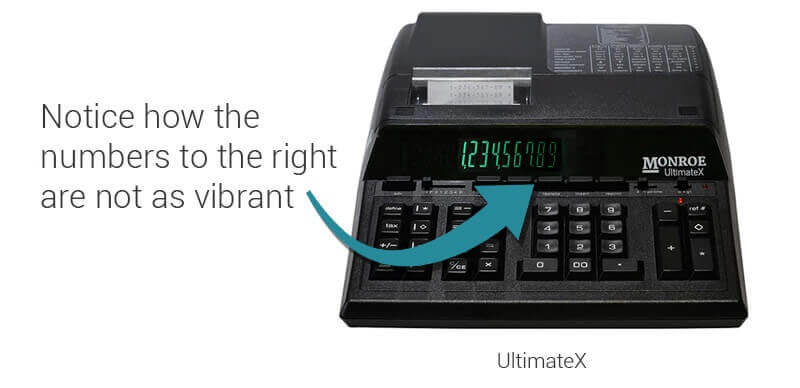
Use this quick check to spot uneven digit brightness across your calculator display. If the digits fade from left to right, it may be time to replace your calculator.
Example Brightness Check
Quick tip: Do the test under your normal desk lighting. Compare the far left digit to the far right digit for any brightness drop.
If the far right digits appear noticeably dimmer than the far left, your display may be worn and harder to read during long sessions.
Type the maximum number of digits
Enter as many digits as your calculator supports so the full display is lit.
2
Compare the far left and far right digits
Look for a noticeable brightness drop across the display.
3
If the digits fade, your eyes are working harder
Uneven display brightness can cause strain, especially in daily accounting workflows.
Why does this happen? Display fading can develop after years of extended use where digits remain illuminated for long periods.
Recommended Replacements
If your display is fading or your keys and printer are showing wear, upgrading now helps keep totals clear, improves comfort, and reduces workflow slowdowns.
Filter:
Best Overall
Monroe UltimateX
Premium heavy duty upgrade for daily accounting workflows and long term readability.
Ideal for frequent users who need consistent display clarity
Comfort focused keyboard experience for long sessions
If key symbols are worn off, it is often a sign the unit has seen heavy use. Monroe heavy duty calculators use long lasting key tops designed for longevity.
Want to Talk With a Human?
Call (267) 580-2600. We are open Monday through Friday, 8 AM to 5 PM ET.